Exciting news for GoTo Webinar Mobile app fans, you can now use the new Mobile GoToApp to host GoToWebinar sessions. Note, this can be done on the new experience. If you are using the classic version you will only have the option to join through the Mobile app.
Here's how it works:
- If you own a webinar license you will be able to see a webinar tab in your mobile or tablet device.
- Tapping on the webinar tab will show you your list of upcoming and past webinars, that were scheduled from your webinar dashboard.
- Tapping on any webinar card will show you complete details on the webinar, like active registrants, added videos, survey, polls etc.
- To start a webinar, make sure you have selected join option as ‘Use the new GoTo Webinar’ in the dashboard. Otherwise, you will join as an attendee.
Features include:
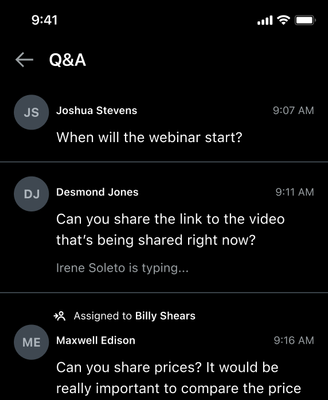
Question and Answer
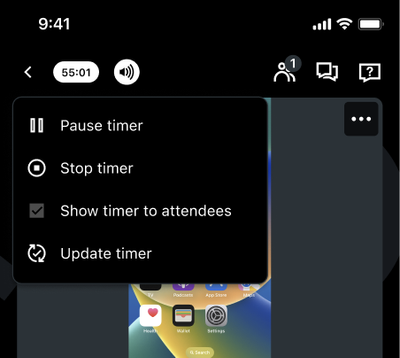
Timer
- Organizer can start, pause, stop or update timer from their mobile/ tablet device.
Record
- Auto record your session- from your mobile device!
Are you using the new GoTo app mobile experience? Tell us what you think and keep an eye on this space for more updates coming soon!