We are excited to announce a new release of the Rescue Integration for Microsoft Teams - now with support for Single Sign-On (SSO). This update enhances security, streamlines authentication, and improves user experience, ensuring seamless remote support capabilities directly within Microsoft Teams. Please find documentation below:
Get the Rescue Integration App in Microsoft App Source
How to set up Microsoft Teams to work with LogMeIn Rescue
Key Features
- SSO Support:
- SSO: Allows users to authenticate using their existing identity providers, reducing login friction while maintaining robust security standards.
- Note: The SSO leverages the SSO already configured for Rescue so no additional actions are needed if SSO is already enabled for Rescue. If not, they will need to configure SSO for Rescue not withing Teams.
- Enhanced User Experience: Updated UI/UX for a more intuitive and efficient support workflow within Teams.
Customer Use Case:
An IT support technician in a global enterprise uses the Rescue integration within Microsoft Teams to assist employees reporting technical issues. With the integration:
- The technician can initiate a remote session directly from a Teams conversation or channel.
- They can troubleshoot, diagnose, and resolve issues in real time.
- Using SSO, the technician logs in seamlessly through the organization’s identity provider, saving time while ensuring secure access.
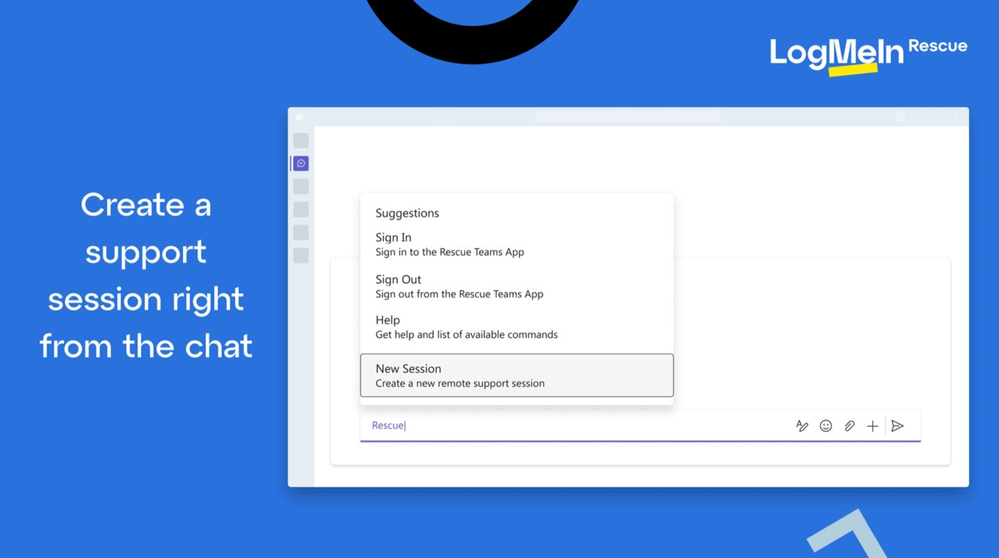
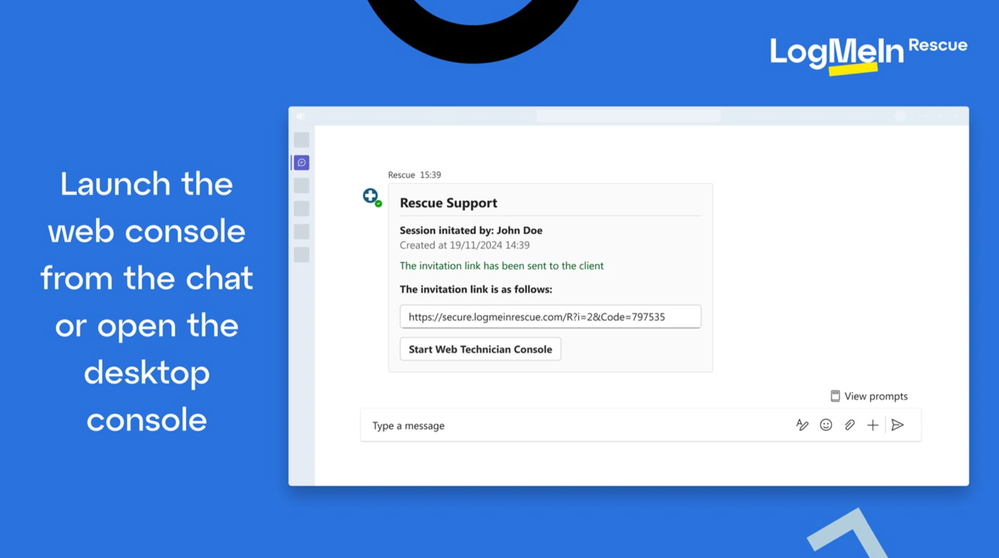

Customer Benefit:
This release not only strengthens the security posture of the Rescue integration by introducing MFA and SSO but also enhances the overall user experience. Customers benefit from:
- Faster and more secure workflows through streamlined authentication.
- Improved support efficiency, enabling quicker issue resolution.
- Increased employee satisfaction with secure, seamless access to essential support tools.
We are confident these enhancements will elevate your remote support experience within Microsoft Teams!
