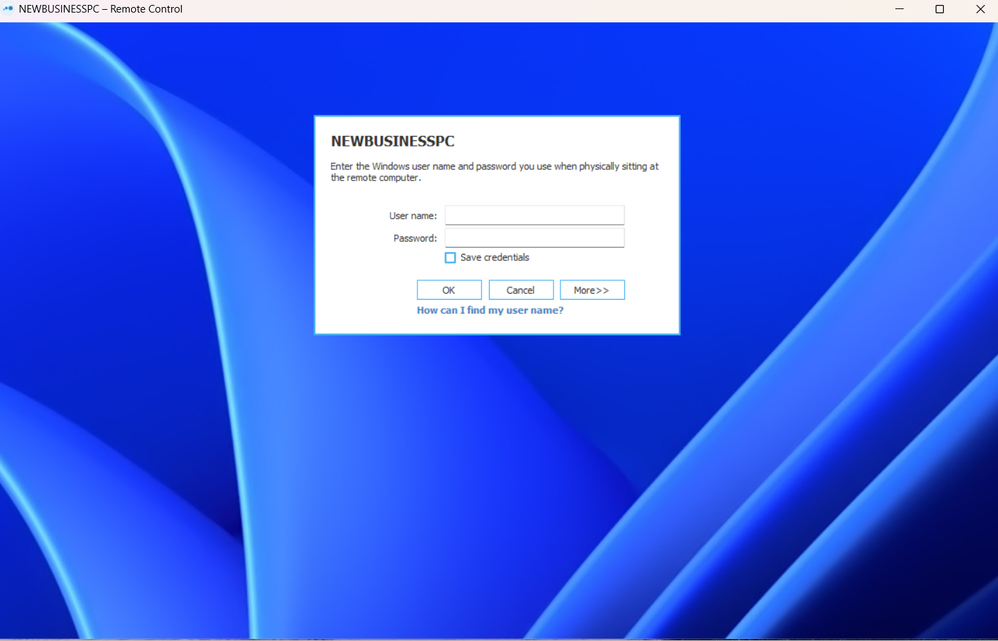
After the latest logmein update, I'm unable to save my login credentials.Does anyone know how I can resolve this? Thank you in advance.
Hi @GlennD all sorted now, I reinstalled and didn't select the "connect to the following computer" option, and password is saved, thanks for your help.
Hi @GlennD,
I have tried uninstalling, and reinstalling the program but the problem still presists.
Please could you open a support ticket for me?
Thanks,Pete
Thanks @pete1, I've checked with Support to see if any other customers have reported this issue recently and so far there have been no others. Uninstalling and reinstalling the software would be a good first step in case something went wrong during the update. If the issue continues I will open a support ticket for you and have someone contact you to troubleshoot directly.
Hi Glenn,
Thank you for your reply.
I have followed the advice but unfortunately its still the same. Everytime I start my laptop this page appears, when it used to log me in automatically, I always select the "save credentials" option but it never works.
Should I try uninstalling the LOGMEIN app and try reinstalling it? Or do you have any other suggestions?
Hi @pete1, welcome to the community.
Can you please review this support article and let me know if this is the sign in flow you are seeing? https://support.logmein.com/pro/help/updates-to-signing-in-to-the-logmein-client-app