Visual schedule editor does not display schedule after editing schedule manually.
Repro steps:
- Open Admin console in Chrome
- Navigate to Phone System → Schedules
- Create new schedule. Save
- Click on the schedule block or click Edit schedule button.
- Click Add time each time to add schedules:
Saturday: 8:00 AM - 11:59 PM
Sunday: 12:00 AM - 8:00 AM
Visual schedule editor is not updated as expected. See attached screenshot. You can see Saturday is completely blank. When you navigate away from the schedules page and navigate back, the visual editor is still blank, but the Edit schedule dialog has the expected schedule.
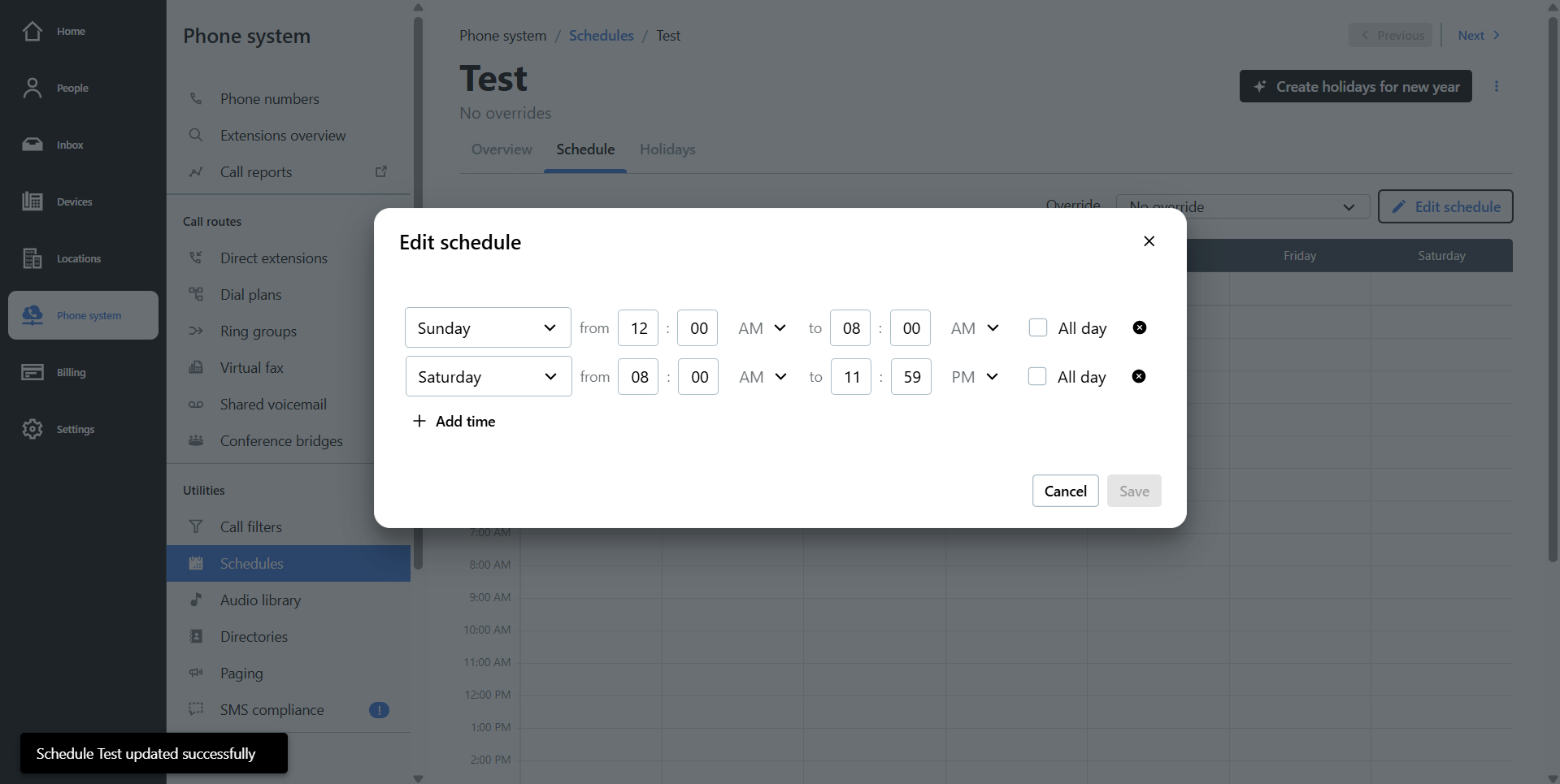
Expectation is visual schedule editor reflects scheduled times in Edit schedule dialog, and vice-versa.